
Deftbox. Finder, keyboard, mouse & clipboard — supercharged.
A native macOS utility that learns your habits — and runs entirely on your device.
What Deftbox does
Deftbox is a native macOS utility for the small frictions of everyday Mac work: creating a file where you need it, opening it in the right tool, switching input sources between apps, getting more out of an ordinary mouse, and finding something you copied ten minutes ago. Instead of four menu-bar apps, it's one.
Everything runs locally. There are no accounts, no sync servers, and no telemetry — Deftbox is sandboxed, reviewed by Apple, and sold only through the Mac App Store. It requires macOS 26.0 or later.
FINDER
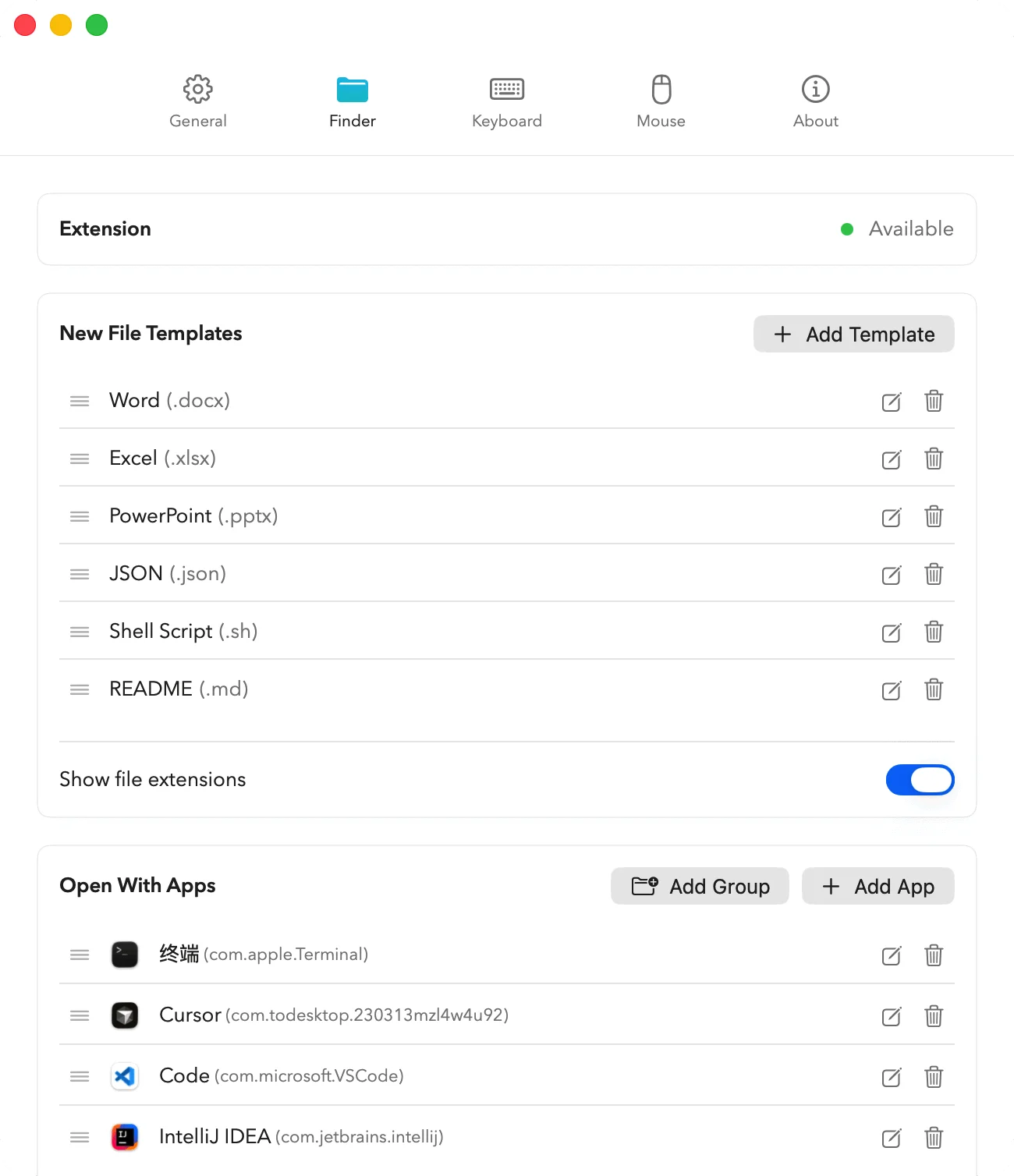
Finder, supercharged.
Right-click to create new files from your favorite templates. Open any file or folder in your tools of choice — Cursor, VS Code, Terminal — without leaving Finder.
KEYBOARD · INPUT METHOD
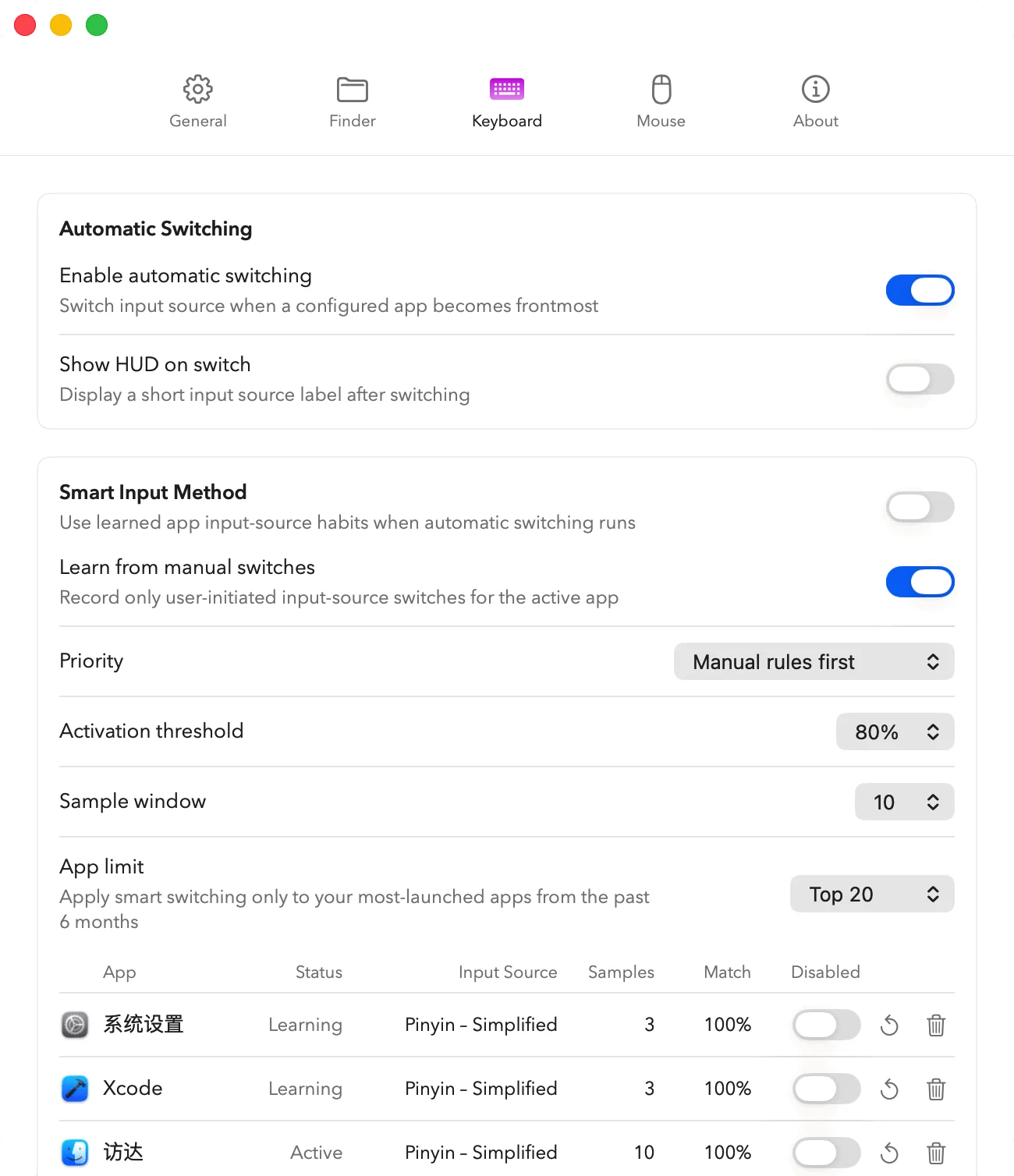
Right input source. Every app. Automatic.
Deftbox watches the frontmost app and switches your input source automatically. It learns from how you actually use each app — no manual rules required.
KEYBOARD · RULES
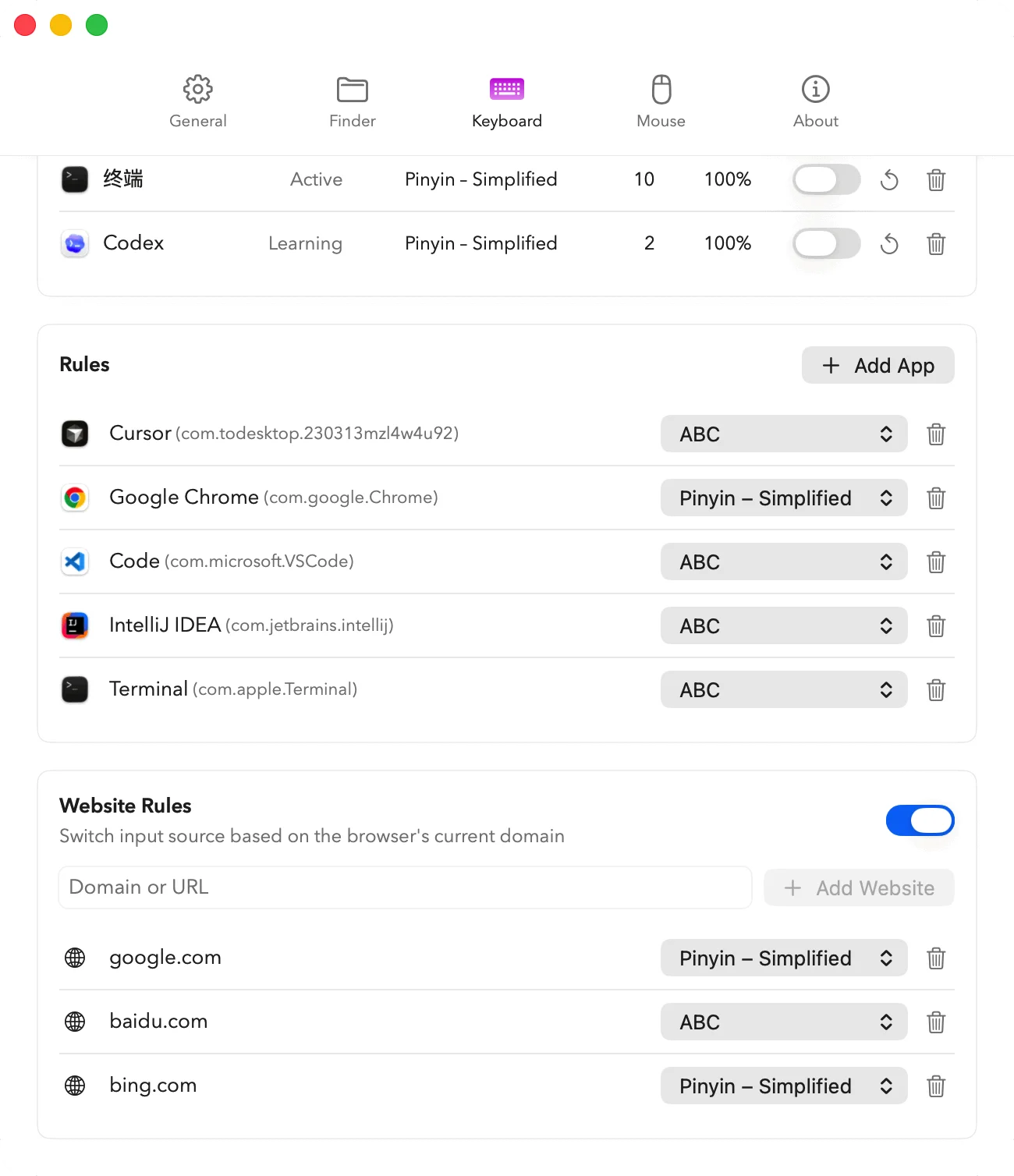
Granular rules, when you want them.
Pin specific input sources to specific apps, or even to specific websites — switch to ABC on github.com, Pinyin on baidu.com, automatically.
MOUSE
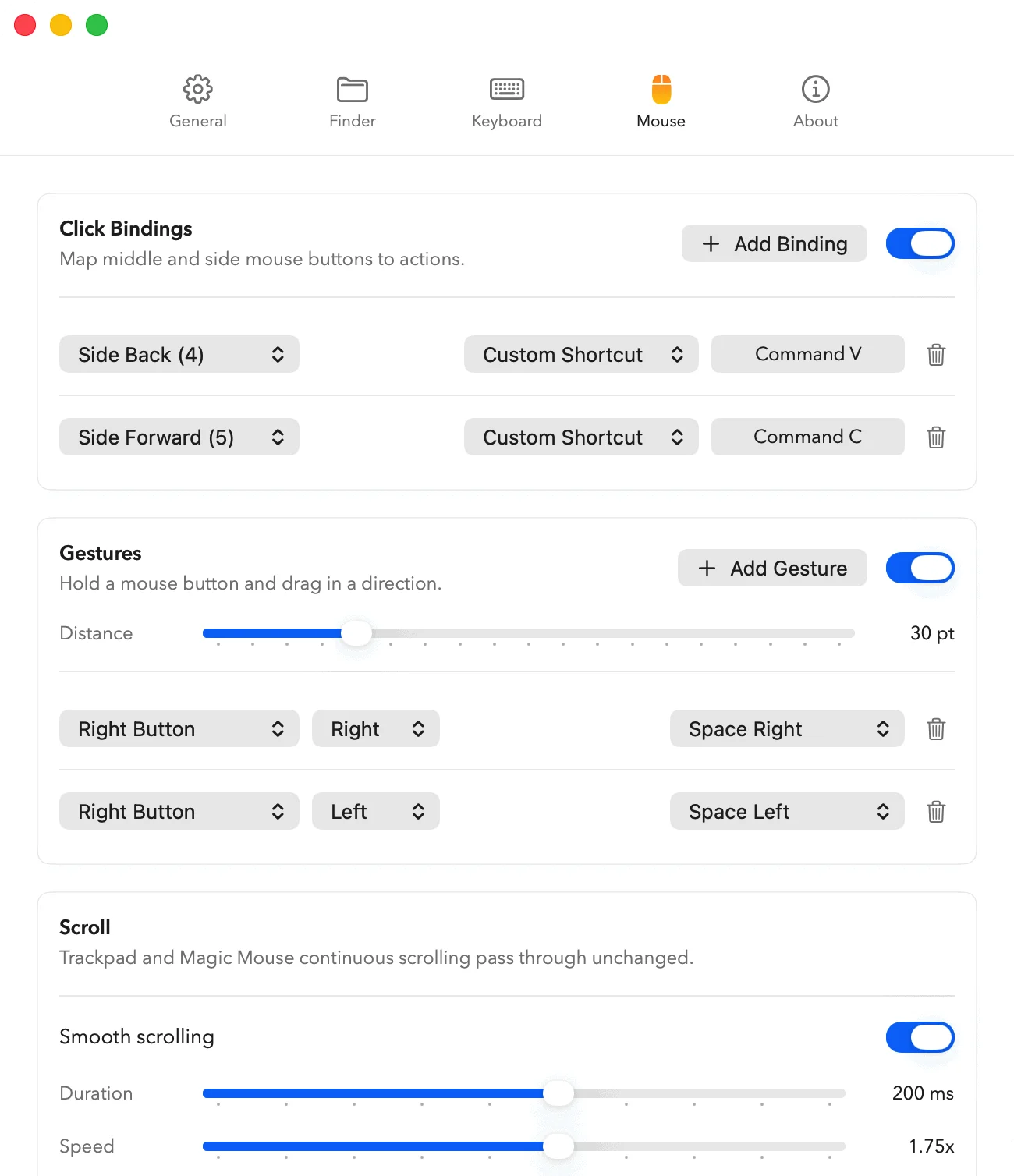
Your mouse, redesigned.
Bind side buttons to any shortcut. Create gestures by holding a button and dragging in a direction. Add smooth scrolling to any wheel mouse — the way macOS should have done it.
CLIPBOARD
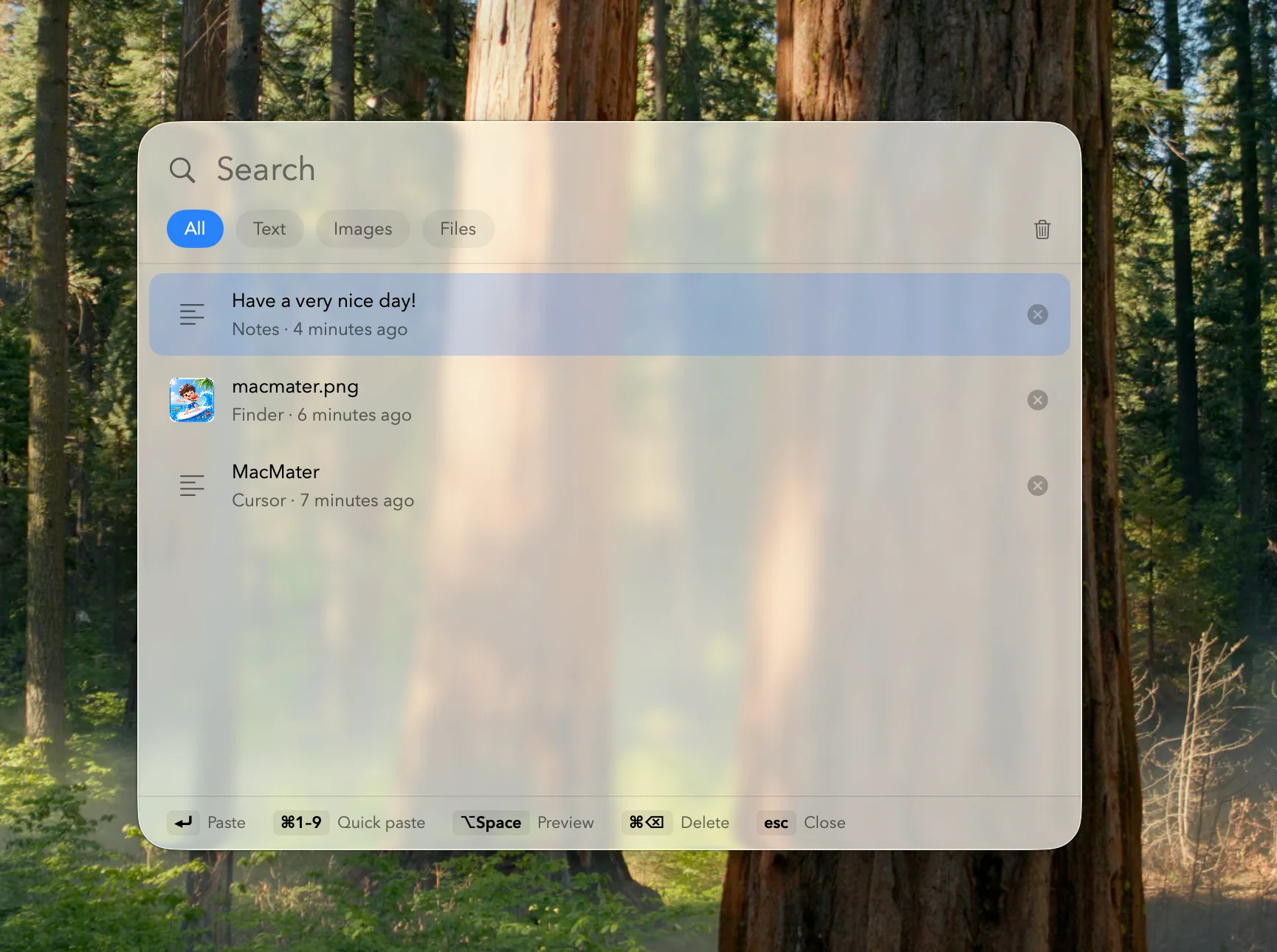
Every copy, one keystroke away.
Deftbox is a full clipboard manager — a searchable history of everything you copy: text, images, files. Hit ⌘⇧V to open the picker, filter by type, and paste with Enter or ⌘1–9. Pin what you reuse — it all stays on your device.
Ready to try Deftbox?
One app for Finder, keyboard, mouse, and clipboard. Every release is reviewed by Apple and updates install themselves.